
Voucher Sizes and Guidelines for Digital Marketing
This file provides detailed information about various voucher sizes, including recommendations for digital platforms. Users can learn about suitable dimensions for travel, food, and apparel vouchers. It equips businesses with essential design specifications to attract clients effectively.
Edit, Download, and Sign the Voucher Sizes and Guidelines for Digital Marketing
Form
eSign
Add Annotation
Share Form
How do I fill this out?
Filling out this form is straightforward. Begin by selecting the relevant voucher type that suits your needs. Follow the prompts to customize your voucher with desired images and text.

How to fill out the Voucher Sizes and Guidelines for Digital Marketing?
1
Choose the appropriate voucher type.
2
Upload images that enhance your design.
3
Input textual details as required.
4
Review the layout for any adjustments.
5
Finalize and save your voucher design.
Who needs the Voucher Sizes and Guidelines for Digital Marketing?
1
Retailers who want to offer discounts on products.
2
Travel agencies providing travel vouchers to clients.
3
Fundraisers needing vouchers for events.
4
Restaurants preparing discount coupons for food.
5
Apparel brands promoting sales through voucher distributions.
How PrintFriendly Works
At PrintFriendly.com, you can edit, sign, share, and download the Voucher Sizes and Guidelines for Digital Marketing along with hundreds of thousands of other documents. Our platform helps you seamlessly edit PDFs and other documents online. You can edit our large library of pre-existing files and upload your own documents. Managing PDFs has never been easier.

Edit your Voucher Sizes and Guidelines for Digital Marketing online.
Editing your PDF on PrintFriendly is easy and intuitive. Simply upload your document, make the necessary changes using our user-friendly interface, and save your edits. No prior experience is required to enhance your PDF documents seamlessly.

Add your legally-binding signature.
Signing your PDF on PrintFriendly allows for quick and secure approvals. Just upload your document and lean on our straightforward signing feature to add your signature. It's fast, efficient, and designed for user convenience.

Share your form instantly.
Sharing your PDF on PrintFriendly is simple and efficient. Use our integrated sharing options to send your edited documents via email or social media. Connect and collaborate easily from one platform.
How do I edit the Voucher Sizes and Guidelines for Digital Marketing online?
Editing your PDF on PrintFriendly is easy and intuitive. Simply upload your document, make the necessary changes using our user-friendly interface, and save your edits. No prior experience is required to enhance your PDF documents seamlessly.
1
Upload your PDF to PrintFriendly.
2
Select the areas you want to edit.
3
Make your changes using the editing tools.
4
Preview your edited document.
5
Download your updated PDF.

What are the instructions for submitting this form?
To submit this form, make sure all required fields are filled in accurately. You can send your completed forms via email to submissions@yourdomain.com, fax to (123) 456-7890, or use our online submission portal. We recommend reviewing your document one final time to ensure all information is correct before submitting.
What are the important dates for this form in 2024 and 2025?
Important dates for 2024 include January 15th for voucher releases and June 10th for mid-year reviews. In 2025, the key date is March 20th for annual evaluation.

What is the purpose of this form?
The purpose of this form is to standardize voucher designs across various media for efficient marketing use. By providing clear size and formatting guidelines, it helps businesses create visually appealing vouchers that capture consumer attention. This form also streamlines the process for users to submit their voucher designs for review and distribution.

Tell me about this form and its components and fields line-by-line.

- 1. Voucher Type: The category of the voucher, such as food, travel, or apparel.
- 2. Discount Amount: The percentage or fixed amount off the original price.
- 3. Expiration Date: The date by which the voucher must be used.
- 4. Brand Information: Details about the business offering the voucher.
- 5. Design Preferences: Specifications for images, colors, and textual styles.
What happens if I fail to submit this form?
If the form isn't submitted correctly, you may lose the opportunity for discounts or special offers. It's crucial to ensure that all fields are completed accurately to avoid delays.
- Incomplete Information: Missing details may result in the voucher not being processed.
- Incorrect Dimensions: Using incorrect sizes can lead to poor design outcomes.
- Lack of Branding: Failure to include brand elements can diminish voucher effectiveness.
How do I know when to use this form?

- 1. Seasonal Promotions: To create time-sensitive offerings that attract customers.
- 2. Customer Loyalty Programs: When offering discounts to repeat customers.
- 3. Event Launches: For generating excitement around new products.
- 4. Clearance Sales: To move inventory quickly with attractive pricing.
- 5. Social Media Campaigns: To engage users through digital platforms effectively.
Frequently Asked Questions
What types of design can I create with this voucher file?
You can create a variety of designs tailored to different marketing needs, including travel, food, and retail vouchers.
Can I use this file for digital marketing purposes?
Yes, this file is optimized for creating digital vouchers suitable for platforms like Facebook and Instagram.
How do I upload my custom images?
You can easily upload your images through the designated upload feature in the editing interface.
Are there any predefined sizes for different platforms?
Yes, the document includes recommended sizes for popular platforms such as Facebook and Instagram.
Can I save my edited vouchers for later use?
Yes, you can download your edited vouchers immediately after finalizing them.
Is there a limit to the number of vouchers I can create?
No, you can create as many vouchers as you need for your campaigns.
Where can I find examples of voucher designs?
Examples of voucher designs can be found in the file, showcasing various layouts and dimensions.
How do I ensure my voucher has the right dimensions?
Refer to the size specifications provided in the document for guidance.
Is there support available if I face difficulties?
Yes, PrintFriendly offers support resources to assist you with any issues.
Can I customize the text on my voucher?
Absolutely, you can tailor all text fields to match your brand voice and marketing message.
Related Documents - VoucherSizeGuide
Entrepreneurial Musicianship: Tips for Writing Your Bio
This document provides musicians with practical tips and guidelines for writing an effective bio to enhance their marketing and reputation.
Disney Beauty and the Beast JR. Actor's Script
This file is the actor's script for Disney's Beauty and the Beast JR. It contains the complete script, glossary of terms, and additional information for actors. Perfect for school productions and professional shows.
The Incredibles Original Screenplay by Brad Bird
This file contains the original screenplay for 'The Incredibles' by Brad Bird. It includes dialogue, scene descriptions, and character details. Ideal for fans and students of animation and film.
BMI Agreement Terms with Publisher
This file is a comprehensive agreement between Broadcast Music Inc. (BMI) and a Publisher. It outlines terms, rights, and obligations related to musical compositions. The document specifies payment schedules and rights transfer.
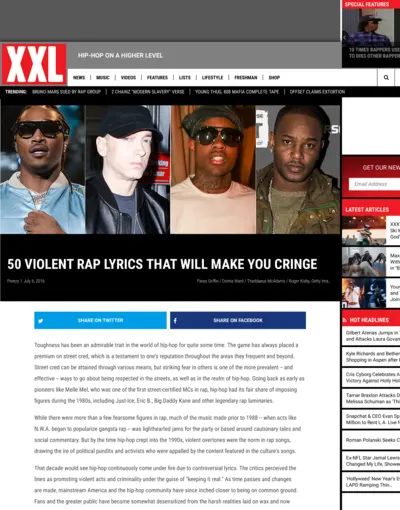
50 Violent Rap Lyrics That Will Make You Cringe
This document showcases 50 violent rap lyrics that have been collected over the years, including quotes from famous rappers like Eminem, Future, and Cam'ron. The collection emphasizes the harsh realities often depicted in rap music and stops to highlight some of the most extreme examples. This document serves as both a commentary on violence in hip-hop and a collection of notable lyrics.
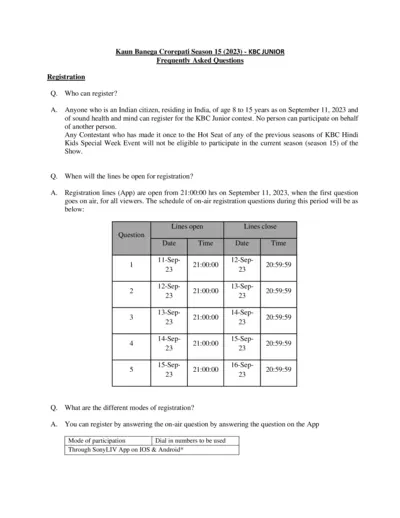
Kaun Banega Crorepati Junior Season 15 - Registration & Audition FAQs
This file contains Frequently Asked Questions (FAQs) related to the Kaun Banega Crorepati Junior, Season 15 registration and audition process, eligibility criteria, and steps to participate.
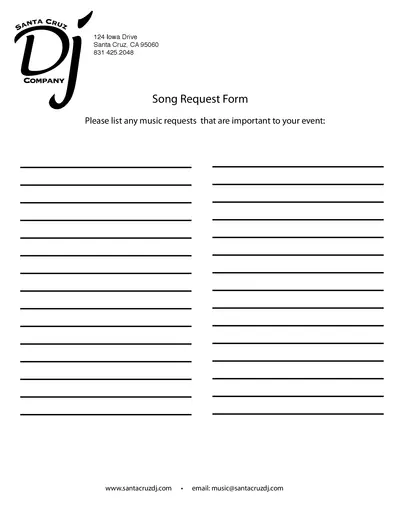
Santa Cruz DJ Song Request Form - Event Planning
The Santa Cruz DJ Song Request Form helps you list and submit specific music requests important to your event. It ensures your favorite tracks are played at your event. Complete and submit the form to get started.
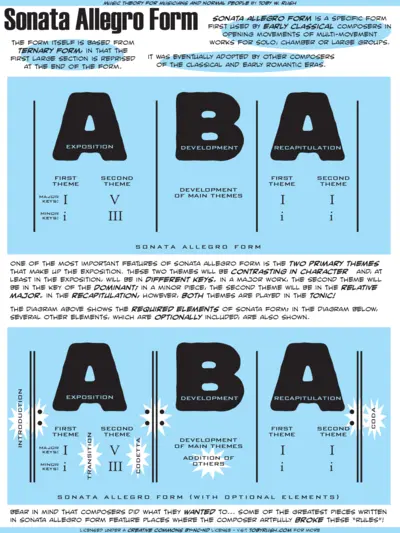
Music Theory for Musicians and Normal People by Toby W. Rush
This document provides an in-depth look at Sonata Allegro Form, its structure, and its applications in classical and early romantic music. It includes explanations of themes, keys, and various required and optional elements. Perfect for musicians and music enthusiasts looking to understand this classical form.
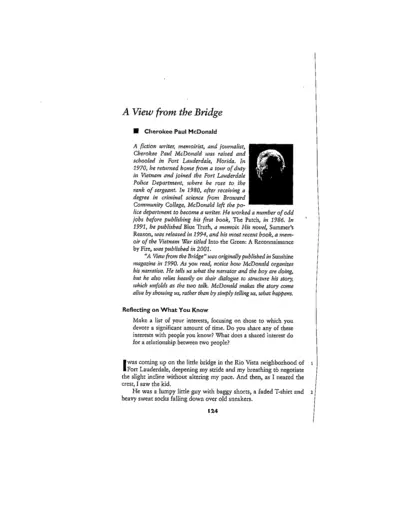
A View from the Bridge by Cherokee Paul McDonald
A View from the Bridge is a short story by Cherokee Paul McDonald originally published in 1990. It tells the tale of a boy and a narrator engaging in a fishing adventure. This narrative unfolds through dialogue and vivid descriptions.
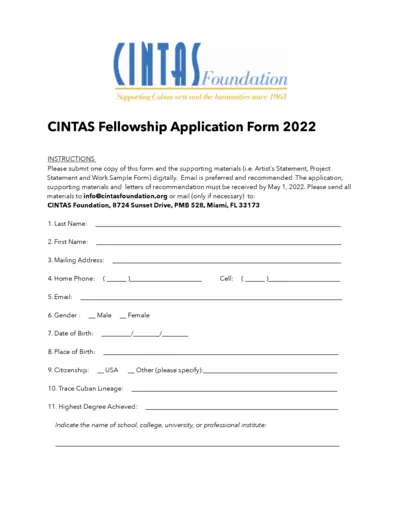
CINTAS Fellowship Application Form 2022
The CINTAS Fellowship Application Form allows Cuban artists to apply for funding and support in their creative projects. This form includes personal details, artist statements, and project descriptions, which are required for the application process. Complete and submit by the deadline for consideration.
501 Writing Prompts for Creative Writing Practice
This file contains a variety of writing prompts designed to stimulate creativity and enhance writing skills. Suitable for writers of all levels, these prompts inspire new ideas and encourage the writing process. Use this resource to break through writer's block or to practice daily writing.

Lifetouch Portrait Order Instructions and Packages
This file contains comprehensive details about Lifetouch portrait packages, photo dates, and ordering instructions. Parents and students can find guidance on how to select packages and fill out the order form. It also includes information about satisfaction guarantees and pricing options.