
PDF to JPG
Our powerful and easy-to-use platform allows you to quickly convert PDF documents into high quality JPGs.
- Convert PDF to JPG in seconds.
- Convert PDF files to other images as well.
- Simply upload your PDF file to convert it to JPG format.
Upload a file
Clear and Shareable PDF to JPG Conversion
Export PDF pages as high quality JPG images for emails, CMS uploads, and design tools.
High Quality Page Images
Each page becomes a crisp image with readable text and smooth lines. Logos, diagrams, and charts remain sharp, gradients render cleanly, and small labels stay legible so screenshots and embeds look professional. Page order remains consistent, background colors translate reliably, and edges stay clean for use across sites and slides.
Choose files, convert, and save images that display consistently across devices and apps. Pick sensible dimensions, keep file sizes practical, and produce visuals that load quickly while still looking great. Use the images in documentation, presentations, blogs, and CMS workflows without extra steps.
Revolutionize Your PDF to JPG Conversions
Our PDF to JPG converter makes it easier than ever to convert your PDF files to JPG format. Not only do we provide high image quality, but we also convert PDF files of all sizes with ease. We're perhaps the most efficient and reliable resource when it comes to transforming your PDFs into JPG files or other formats.
Let our free converter take away all the trouble associated with traditional documents by making it simple to update and annotate each file you convert online. Our online service ensures that your converted files will be high quality JPG images that you can download, share, or upload to Google Drive, and it doesn't matter what operating system you're using.
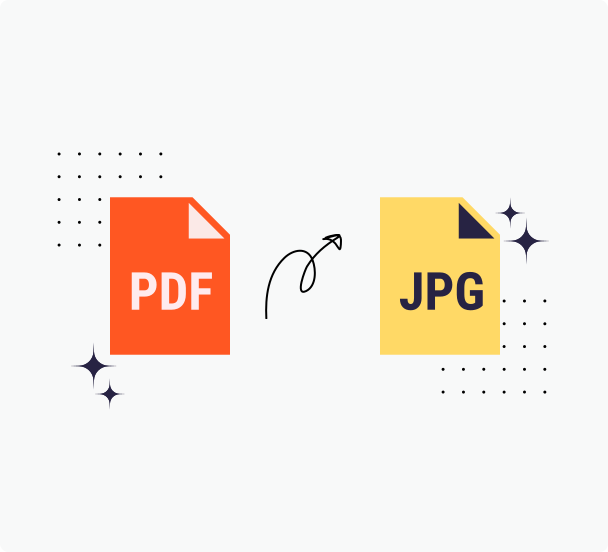
Steps For Converting PDFs To JPGs
Step 1: Upload the file you want to convert from PDF to JPG online
Select the PDF document you want to convert into a JPG file. You can upload your desired PDF documents from any device, whether it's on your desktop, laptop, or even your mobile phone. All you need is one of the modern web browsers and an internet connection. We accept PDFs with a large file size.
Step 2: Preview your new JPG file
Once you've uploaded your PDF, you'll preview your new JPG online in our editor and you can edit it in a variety of ways. You can change the name of your file, make your file smaller using our PDF compressor, and you can annotate or even sign your file.
Step 3: Complete the Conversion from PDF To JPG
Once you're satisfied with the look of your new PDF file, click on the "Start" button to convert PDF pages into JPG images. Once the conversion is complete, click "Download" to retrieve your file. That's it - you have successfully completed the transformation from PDF to high quality JPG.
The Supreme PDF to JPG Converter
Our image converter enables you to easily convert PDF documents to and from multiple formats, including PDF to JPG. The converted file will remain the same resolution, whether you upload the file from your desktop, laptop, or mobile device. It's never been easier to convert PDF to JPG.
Convert Images with Ease
Experience straightforward conversion with our PrintFriendly PDF to JPG tool. Quickly transform PDFs into high-quality JPG images while preserving formatting and layout. Whether converting a simple logo or a detailed document, upload your PDF and watch our converter handle the rest efficiently. Enjoy precise image extraction.
Retain Quality
When converting complex, printer-ready PDF pages to JPG images, maintaining high quality and accuracy is crucial. PrintFriendly uses cutting-edge PDF conversion technology to preserve the intricate formatting and layout of your documents. Our tool ensures that each JPG retains its crisp resolution, allowing your digital images to look just as sharp as the original PDF. Whether converting to or from PDF, our goal is to provide exceptional image quality for all your document needs.
Secure Conversions
Convert your PDFs to JPGs safely with PrintFriendly! Prioritize your document's security and maintain their original layout with our top-tier encryption. Upload your files with confidence, knowing we're dedicated to protecting your sensitive information. Enjoy a worry-free conversion process with our reliable platform. Whether you're handling personal or professional documents, rest assured your files remain protected.
Works on Every Device
Maximize your productivity wherever you go with our PDF to JPG converter, optimized for all modern devices. Whether on a laptop, desktop, or your Android or iOS smartphone or tablet, easily transform PDFs into high-quality JPGs. Our cloud-based tool ensures no space-consuming files bog down your device. Convert with confidence and maintain your document's layout and formatting directly.
Frequently Asked Questions
Check out these commonly asked questions and answers about our service. Please feel free to contact us if you have any additional questions.
Can I convert images to PDF? Are there other document formats that I can convert to PDF?
Yes, you can convert JPGs to PDFs. You can also convert Word documents (DOC, DOCX), Excel files (XLS, XLSX), and PowerPoint (PPT, PPTX) files to PDF.Are my files secure? Do you keep or review any of my files?
Every file uploaded is safeguarded with the use of SSL encryption. We do not review the files you upload, and they are automatically deleted from our servers within 48 hours.
Related Tools
PDF to Word
Get an accurate, editable Word document from your PDF in seconds—fonts and layout preserved.
JPG to PDF
Combine JPG images into a single clean PDF—ideal for scans, receipts, and photo sets.
PDF to PPT
Convert PDFs into editable PowerPoint slides that keep layout, text, and graphics in place.
Compress PDF
Reduce the size of your PDF files using our compressor—no bulky software required.