
PDF to Word
Our state-of-the-art PDF to Word converter helps you convert your PDF file to a Word document in seconds.
- Accurate conversions using top-of-the-line technology.
- Intuitive interface that's easy for everyone.
- Get your editable Word document in seconds.
Upload a file
We Know PDF to Word
Convert PDF files to editable Word documents with accurate formatting using our online PDF to Word converter.
Accurate PDF to Word Conversion
No formatting surprises. Our PDF to Word tool preserves fonts, font sizes, spacing, headings, and page layout so your document opens in Word the way it looked in the PDF. Links stay clickable, images stay in place, and lists, tables, and columns remain structured. Ideal for Microsoft Word users who need an editable .docx that mirrors the original.
Work fully in your browser without installing software or creating an account. Upload a PDF and get a clean .docx you can edit right away in Word or Google Docs. The converter handles multi page files, complex tables, headers and footers, and common fonts so your document stays consistent from start to finish.
Efficient and Precise Conversions
PrintFriendly is the ideal solution when you need an easy and reliable way to convert your PDF file to a Microsoft Word DOC file. Our results are accurate and our Word converter allows you to accurately convert scanned pages into Microsoft Word documents, all while preserving the style and layout of the original text. Your converted Word file will look just like your PDF file.
Plus, with our secure, free PDF to Word conversion tool, you can rest assured that your converted Word document will be safe and secure throughout the file conversion process. Once you have your editable Word document, you can edit it on PrintFriendly, upload it to Word online or Google Docs, or edit your Word files offline.
How to Convert a PDF file to Word
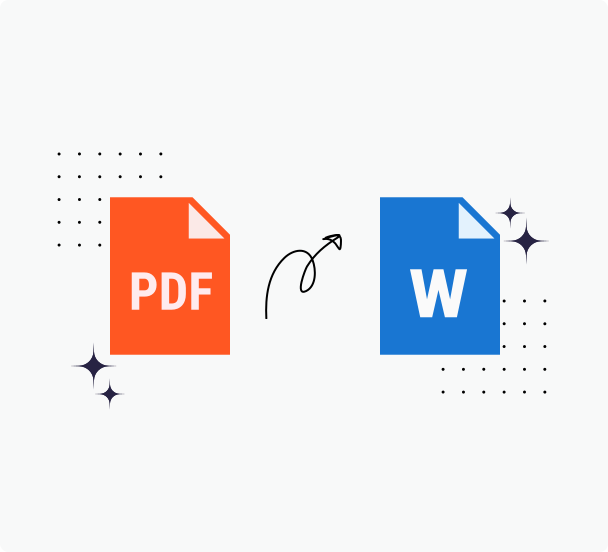
Using PrintFriendly's PDF to Word converter makes it quite easy to convert your PDFs to editable Word files and you can do all your conversions in just three simple steps! Here's how our PDF converter works.
Step 1: Upload your PDF file with one click, or drag and drop the file into the box above. It is fast, easy, and secure.
Step 2: After your PDF is uploaded, the conversion process will get started right away and will continue until you're provided with a download link.
Step 3: Sit back, relax, and download your new Word file.
Reasons to Choose PrintFriendly for Converting PDF To Word
PrintFriendly is the best option when you want to convert PDF files into Word documents. You upload your documents, and you get high quality conversions from us in return.
Highest Quality Conversions
Many PDF converters struggle with maintaining quality, but PrintFriendly excels. Convert PDFs to Word while keeping the text intact and layouts sharp. Ideal for editing locked PDFs or adjusting documents, this tool ensures your files retain their original quality throughout conversion.
No Registration Required
Transform your PDF to Word easily with no sign-up. Just select or upload from Dropbox or Google Drive, convert, and download swiftly. Our PrintFriendly tool ensures text extraction and layout preservation, perfect for editing or modifying your.
Secure File Processing
Convert PDFs to Word directly with our secure tool, ensuring text extraction and layout preservation. Edit locked PDFs quickly, knowing your files are automatically deleted from our servers within 48 hours.
Convert Large Files
Convert large, scanned PDFs to Word directly with our PDF to Word tool. Extract text while preserving layout to edit locked documents or modify them to your needs. Enjoy converting massive files with PrintFriendly, no extra cost involved. Share or edit quickly.
Frequently Asked Questions
Check out these commonly asked questions and answers about our service. Please feel free to contact us if you have any additional questions.
What is the difference between the DOC, DOCX, and PDF file formats?
DOC is an older Microsoft Word file format, while DOCX is the newer version. DOCX offers better compatibility, features, and file recovery options compared to DOC. PDF is a platform-independent format designed to preserve document formatting and appearance. It is commonly used for sharing documents that should look the same on different devices and operating systems. Unlike DOC and DOCX, PDF files are not easily editable but can be viewed using various software. That said, you can easily edit PDFs using PrintFriendly's PDF Editor.Are my files secure? Do you keep or review any of my files?
Every file uploaded is safeguarded with the use of SSL encryption. We do not review the files you upload, and they are automatically deleted from our servers within 48 hours.Is it free to convert a Word document to a PDF file or PDF file to Word document?
For now, converting Word documents to PDF files and vice versa is completely free. We may introduce paid features in the near future.
Related Tools
PDF to Excel
Turn PDF tables into editable Excel spreadsheets while preserving structure and headers.
PDF to Markdown
Convert PDFs into clean Markdown with accurate headings, lists, and tables for notes apps, docs sites, and AI workflows.
Edit PDF
Edit PDF forms and documents online—add text, highlights, and notes right in your browser.
PDF Converter
Convert PDFs, images, and nearly any document to and from popular formats with dependable results.