
Excel to PDF
Our online PDF converter helps you easily convert any Microsoft Excel spreadsheet to a PDF file.
- Improve portability and sharing.
- Eliminate potential data loss in Excel spreadsheets.
- Super fast Excel to PDF conversions.
Upload a file
Excel to PDF That's Clean and Readable
Convert spreadsheets to PDF that present clearly for reports, printing, and review.

Report Ready PDFs from Excel
Column widths, alignment, and table structure remain readable. Header rows repeat correctly, charts stay legible, and long sheets paginate cleanly without cutting off important data. Conditional formats and number styles keep context clear so summaries and details remain easy to interpret at a glance.
Export in your browser and share a PDF that is easy to scan on screen and on paper. Totals remain visible, sections stay organized, and visual elements keep their scale so stakeholders can review and approve without opening the original workbook or changing their setup.
The Standard in Excel to PDF Conversion
PrintFriendly is the ultimate resource for converting Excel files into PDFs. Whether you need a quick and easy way to share your Excel file with colleagues or convert it into a beautiful, magazine-style PDF file, our Excel to PDF converter is here to help.
We provide a number of formatting options, so you can control the page size, orientation, and scale of your PDF documents. We help you make sure that your documents are ready for printing or sharing without compromising on quality.
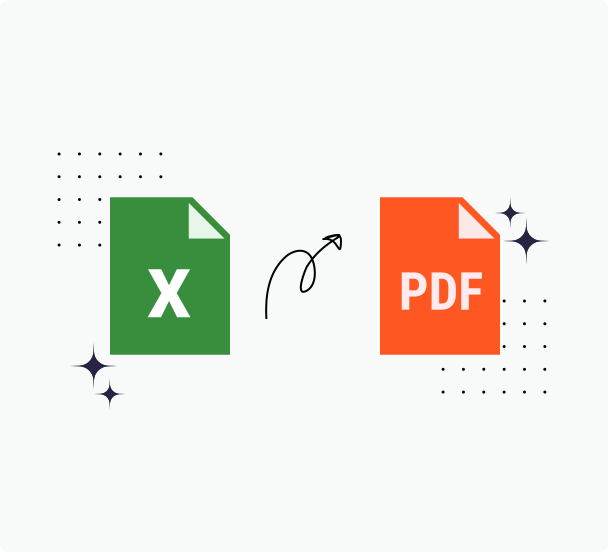
How to Convert Excel Files to PDFs
Step 1: Select the Microsoft Excel file you would like to upload, or drag and drop your file into the box above.
Step 2: We will automatically start the process of converting your XLS or XLSX file to a PDF document
Step 3: You have several advanced settings that you can toy with, like text wrapping, alternative fonts, and annotations. Or, you can simply download your PDF directly to your phone or computer.
Why Choose Us for Your Excel to PDF Conversions
PrintFriendly is the simplest way to turn your Microsoft Excel spreadsheets into professional, shareable PDF files. You can quickly and securely convert Excel to PDF format, even if your file contains text, tables, images, or formulas.
Highly Secure Conversions
Ensure your sensitive Excel formulas, tables, and charts are secure during conversion to PDF. PrintFriendly ensures your spreadsheets and invoices are protected throughout the transformation. Convert with confidence, knowing your data is safe from upload to final download.
Compatible With Every Operating System
Transform Excel sheets into professional PDFs on any device. Access our Excel To PDF converter from a macOS Apple computer, Android tablet, or Windows PC. Perfect for turning invoices, intricate tables, and dynamic charts into PrintFriendly PDFs, no matter your.
Simple Steps for Converting Excel to PDF
Directly transform your Excel spreadsheets, including formulas, tables, and charts, into PDFs in no time. Select the file, customize as needed, and your spreadsheet becomes a professional, PrintFriendly PDF. Perfect for creating shareable invoices or reports, streamlining your document management.
Online Conversions in the Cloud
Convert Excel files to PDFs directly in the cloud, transforming formulas, tables, and charts into crisp documents. Perfect for invoices and spreadsheets, this tool lets you upload results to PrintFriendly, Google Drive, or Dropbox. Access your PDF globally and ensure secure storage quickly.
Frequently Asked Questions
Check out these commonly asked questions and answers about our service. Please feel free to contact us if you have any additional questions.
Are my files secure? Do you keep or review any of my files?
Every file uploaded is safeguarded with the use of SSL encryption. We do not review the files you upload, and they are automatically deleted from our servers within 48 hours.
Related Tools
PDF to Excel
Turn PDF tables into editable Excel spreadsheets while preserving structure and headers.
Word to PDF
Convert Word documents to PDFs that look the same everywhere—links, images, and styles intact.
PPT to PDF
Turn PowerPoint decks into presentation-ready PDFs with consistent fonts, colors, and layout.
PDF Converter
Convert PDFs, images, and nearly any document to and from popular formats with dependable results.