
PDF Converter
We make it fast and easy to convert your documents into PDF files.
- Our online PDF converter allows you to update your documents and data, from layouts and margins to fonts and colors.
- Convert PDFs, images, and nearly any kind of document, image, or file into searchable text.
- Convert files accurately so your document retains its original formatting.
Upload a file
The Ultimate PDF Converter
Convert PDFs to and from popular formats with dependable results for school and work.
Reliable PDF Conversions
Move between PDF and Word, Excel, PowerPoint, and images while keeping layout clear and structure understandable. Text remains readable, graphics stay sharp, and headings, lists, and tables map predictably so editing is faster. Files feel familiar after conversion and require less cleanup to reach final draft.
Upload a file and get the format you need for editing, reviewing, or publishing without extra software or complex steps. Produce versions teammates can open anywhere, keep momentum during reviews, and deliver consistent documents for projects and assignments.
Convert, Edit, and Download PDFs
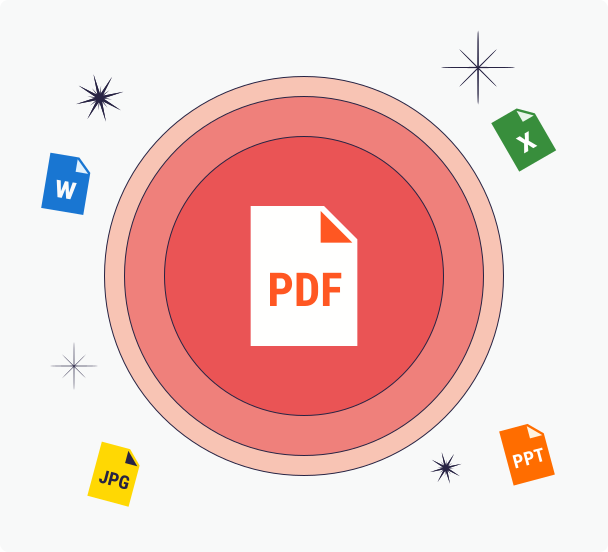
Our browser extension and its ability to convert web pages to PDF files was just the beginning. Our PDF converter enables you to convert PDF files to other formats, edit your files, and is perfect for reviewing documents before you share them with clients, publishers, or colleagues. Our PDF Converter makes switching between PDF and other file types incredibly simple.
The great thing is, our free online PDF converter works beautifully in all modern web browsers. And, file transfers are quick as long as you have a decent internet connection available. So you can use your Mac or Windows computer, or any modern other device, to easily convert PPT, DOCX, and other file types to the PDF format. From there, you can download your newly converted file to your computer or a service like Google Drive, or share it with others via email.
What are the Steps to Convert Files to PDFs?
To start converting your files into optimized and professional-looking PDF documents, follow these steps:
Step 1: Select the type of file (DOCX, PPT, JPG, XLSX, etc.) that you want to convert to PDF format. You can select files on your computer or any other modern device.
Step 2: Upload or drag and drop your file into the PDF converter box above. After your PDF file or other document type is processed, you can edit your new document, sign it, and save it.
Step 3: You now have a great-looking PDF document ready to store and share with anyone, and you didn't even need to install any other software.
Why Choose Our PDF Converter?
Our PDF converter and other conversion tools make switching between file formats incredibly simple. We're platform agnostic, our output is top-notch, you can access our website from anywhere, and our system is secure. You're at the right place if you want to convert to PDF files.
Platform Agnostic
Convert your documents directly with our free PDF Converter, optimized for any device,computers, notebooks, tablets, or smartphones. Enjoy full compatibility with major operating systems like Windows 11, 10, 8, macOS, UNIX, and Linux. Maintain perfect formatting and layout across varied computers with just a stable internet connection. Experience PrintFriendly conversions every time.
Reliable Output
Experience premium PDF output with our converter. We preserve the original document's data, layout, and resolution, ensuring high-quality results. Directly convert text files, including Word, OpenOffice, and Pages, into PrintFriendly PDFs. Trust our tool to make your documents print-ready every time.
Accessible From Anywhere
Convert and edit your documents with our free, cloud-based PDF Converter from anywhere. Easily maintain formatting and layout without costly software or downloads. Enjoy more storage for your critical files while transforming documents into PDFs or other formats with PrintFriendly.
Convenient and Secure
Convert PDFs quickly and security using our tool. Directly edit your document to your preferred layout, then download or share instantly. Enjoy peace of mind with our industry-standard encryption,your files remain private with no external review or publication. Trust our tool for a streamlined, PrintFriendly experience.
Frequently Asked Questions
Check out these commonly asked questions and answers about our service. Please feel free to contact us if you have any additional questions.
Can I convert images to PDF? Are there other document formats that I can convert to PDF?
Yes, you can convert JPGs to PDFs. You can also convert Word documents (DOC, DOCX), Excel files (XLS, XLSX), and PowerPoint (PPT, PPTX) files to PDF.What is the difference between the DOC, DOCX, and PDF file formats?
DOC is an older Microsoft Word file format, while DOCX is the newer version. DOCX offers better compatibility, features, and file recovery options compared to DOC. PDF is a platform-independent format designed to preserve document formatting and appearance. It is commonly used for sharing documents that should look the same on different devices and operating systems. Unlike DOC and DOCX, PDF files are not easily editable but can be viewed using various software. That said, you can easily edit PDFs using PrintFriendly's PDF Editor.Are my files secure? Do you keep or review any of my files?
Every file uploaded is safeguarded with the use of SSL encryption. We do not review the files you upload, and they are automatically deleted from our servers within 48 hours.Is it free to convert a Word document to a PDF file or PDF file to Word document?
For now, converting Word documents to PDF files and vice versa is completely free. We may introduce paid features in the near future.
Related Tools
Merge PDF
Combine multiple PDF files into one organized document in seconds.
Word to PDF
Convert Word documents to PDFs that look the same everywhere—links, images, and styles intact.
JPG to PDF
Combine JPG images into a single clean PDF—ideal for scans, receipts, and photo sets.
Excel to PDF
Convert Excel spreadsheets to polished PDFs for sharing, printing, and archiving.