
Sign PDF
We help you sign PDF files or any document online for free.
- Upload and sign PDF, Word, and other files.
- Just click sign and draw your electronic signature.
- Sign PDF documents right on your mobile device.
Upload a file
Free and Easy PDF Signing
Add signatures to PDFs and prepare polished files for sharing.
Simple Secure Signing
Place a signature, name, and date where they belong. The document stays clear and the layout remains intact so the final file looks professional and is easy to verify. You can type or draw your signature and keep a consistent appearance across all pages that need to be signed.
Upload a PDF, sign, and download a finished document ready for clients, teammates, and partners. Create a complete record for agreements and approvals, store it for reference, and share it instantly without installing extra software or changing your workflow.
Modern Document Signing Process
Digital signatures are quite popular nowadays and the old handwritten signature is a thing of the past. You too can sign documents on your computer using PrintFriendly and there's no need to download expensive software like Adobe Acrobat. Whether you're a Mac user using the Preview App or a Windows user on Adobe Acrobat, you can scan, upload, and sign your PDF document right here.
All in all, PrintFriendly offers a comprehensive package of services that are perfectly tailored to meet the needs of professionals and other individuals across the globe, when it comes to safely sending out digital documents quickly and effectively, no matter where you are located.
With our free PDF signature tool, there's never any need for paper contracts or handwritten signatures. Plus, our documents are legally binding and compliant with global eSignature standards.

How to Sign a PDF File Online
To start the process of adding electronic signatures to your PDF file, start by uploading your PDF to our site. You can do this by clicking Choose in the box above to upload your file, or simply use your mouse to drop PDF files into that box.
Once you upload your PDF file, Word file, or image, if your file is a form, you can now fill in any relevant form fields. Then, when you're ready to sign, just select your signature type, and either use your mouse to draw your signature, or type your signature in the signature field. Click apply to formally add your electronic signature to the document and add the date to make it official. If you're familiar with Adobe Acrobat, this way of adding an electronic signature will be familiar.
Adding a signature to a PDF is that easy. Now that you have your signed PDF, you can save it, download it to your computer, and print a paper copy, if you'd like.
Why Sign PDFs Electronically
You can quickly and easily sign your PDF electronically using our digital signature services. Our e-signature tools bring you into the future, where signing and scanning documents is a thing of the past. Now, even if you must scan a document, you can sign the page right here online. Plus, using electronic signatures is secure and has an automatic audit trail, unlike when you sign a document offline.
Easy to Sign PDF Files
Many tools claim to simplify signing PDF documents but end up complicating the process. At PrintFriendly, we've designed our e-signature tool to be truly user-friendly. Easily upload and sign PDF documents while also editing PDFs and images, filling out forms, and adding signature dates. Access and share your signed documents directly. Create new PDFs using our PDF Reader, edit as needed, and add your signature quickly. Skip the hassle of expensive software like Adobe Acrobat and enjoy a straightforward, efficient signing experience with PrintFriendly that saves time and reduces stress.
Safe and Secure
Ensure your precious documents remain protected during digital signing with our Sign PDF tool. Upload your files with confidence, knowing they're encrypted via HTTPS for security. We automatically delete any PDF or image within 48 hours, maintaining privacy. Rest assured, your documents aren't stored longer than necessary for you to access and share your signed files.
No Account Required
Easily sign PDF files and images with our user-friendly electronic signature tool, no account needed. Enhance document layout and formatting directly. After adding your digital signature, download your newly signed document and utilize it according to your preferences. Enjoy freedom and flexibility!
Sign Multiple Document Types
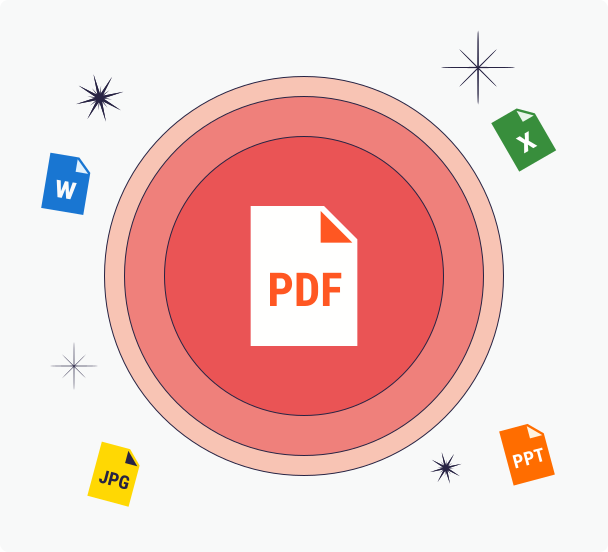
Sign PDF documents directly and expand your options by adding signatures to Word files, images, and Excel spreadsheets. Edit your PDFs and finalize them with your signature in a few clicks. Experience user-friendly document signing with PrintFriendly, making your document handling efficient and simple.
Frequently Asked Questions
Check out these commonly asked questions and answers about our service. Please feel free to contact us if you have any additional questions.
Are my files secure? Do you keep or review any of my files?
Every file uploaded is safeguarded with the use of SSL encryption. We do not review the files you upload, and they are automatically deleted from our servers within 48 hours.
Related Tools
PDF Reader
Open and read PDFs online with smooth navigation—no install needed on desktop or mobile.
Edit PDF
Edit PDF forms and documents online—add text, highlights, and notes right in your browser.
Compress PDF
Reduce the size of your PDF files using our compressor—no bulky software required.
Merge PDF
Combine multiple PDF files into one organized document in seconds.