
Schedule B-1 Form 1120-S Information and Instructions
The Schedule B-1 (Form 1120-S) is an IRS form used by S corporations to report information on certain shareholders. This early release draft provides essential instructions and details to assist filers in completing the form accurately. It is crucial to use the finalized version after the draft is approved.
Edit, Download, and Sign the Schedule B-1 Form 1120-S Information and Instructions
Form
eSign
Add Annotation
Share Form
How do I fill this out?
To fill out this form, gather your shareholder information first. Ensure all applicable details regarding disregarded entities, trusts, estates, or nominees are accurately entered. Review the instructions carefully to ensure compliance with IRS regulations.

How to fill out the Schedule B-1 Form 1120-S Information and Instructions?
1
Collect necessary shareholder information and documentation.
2
Identify the type of shareholders applicable to your S corporation.
3
Fill out the required fields accurately on the Schedule B-1.
4
Review the completed form for any errors or omissions.
5
Submit the form as part of your overall Form 1120-S filing.
Who needs the Schedule B-1 Form 1120-S Information and Instructions?
1
S Corporations filing their IRS Form 1120-S need this file to report shareholder information.
2
Accountants handling tax filings for S Corporations require this form for accurate reporting.
3
Tax preparation software may integrate this form for efficient filing.
4
Shareholders of S Corporations must understand their reporting obligations outlined in this form.
5
Financial advisors may need insights from this form to guide their clients.
How PrintFriendly Works
At PrintFriendly.com, you can edit, sign, share, and download the Schedule B-1 Form 1120-S Information and Instructions along with hundreds of thousands of other documents. Our platform helps you seamlessly edit PDFs and other documents online. You can edit our large library of pre-existing files and upload your own documents. Managing PDFs has never been easier.

Edit your Schedule B-1 Form 1120-S Information and Instructions online.
With PrintFriendly, editing this PDF is seamless and user-friendly. You can modify text, add annotations, and adjust formatting with ease. Experience the convenience of having full control over your document without any hassle.

Add your legally-binding signature.
Signing your PDF on PrintFriendly is straightforward and efficient. You can add your signature electronically anywhere on the document. This feature ensures that your signed PDF is ready for submission as soon as you're done.

Share your form instantly.
Sharing your edited PDF has never been easier with PrintFriendly. You can send it via email or generate a shareable link instantly. Connect with colleagues or clients effortlessly through our sharing options.
How do I edit the Schedule B-1 Form 1120-S Information and Instructions online?
With PrintFriendly, editing this PDF is seamless and user-friendly. You can modify text, add annotations, and adjust formatting with ease. Experience the convenience of having full control over your document without any hassle.
1
Open the PDF in the PrintFriendly editor.
2
Use the editing tools to make necessary changes.
3
Preview the document to ensure accuracy.
4
Save your edits to retain the modified file.
5
Download your updated PDF for future use.

What are the instructions for submitting this form?
To submit the Schedule B-1 form, adhere to the submission guidelines provided in the form instructions. Typically, forms can be submitted electronically through approved IRS e-filing systems or mailed directly to the designated IRS address for your area. Ensure all accompanying documentation is included and consider using certified mail for confirmation of receipt.
What are the important dates for this form in 2024 and 2025?
For the 2024 tax year, the due date for filing Form 1120-S, including Schedule B-1, is March 15, 2025, unless an extension is filed. Always check the IRS website for updates and potential changes to due dates in subsequent years.

What is the purpose of this form?
The purpose of the Schedule B-1 (Form 1120-S) is to provide detailed information about certain shareholders of an S corporation. This form is essential for compliance with IRS regulations, ensuring that all relevant shareholder details are captured accurately. By filling out this form correctly, S corporations can avoid potential legal and financial repercussions.

Tell me about this form and its components and fields line-by-line.

- 1. Name of Corporation: The legal name of the S corporation submitting the form.
- 2. Information on Shareholders: Details regarding any shareholder who falls under specific categories.
- 3. Social Security Number (SSN) or Employer Identification Number (EIN): Identification numbers for shareholders, if available.
- 4. Type of Shareholder: Classification of the shareholder, such as individual or entity.
- 5. Name and SSN/EIN of Individual Responsible: Details of the person responsible for reporting income, deductions, credits.
What happens if I fail to submit this form?
Not submitting the Schedule B-1 can result in incomplete or inaccurate tax filings. This oversight may lead to penalties imposed by the IRS and potential legal action. It is crucial for S corporations to ensure all required forms are submitted timely.
- IRS Penalties: Failure to submit required forms may result in fines imposed by the IRS.
- Inaccurate Tax Reporting: Incorrect or missing information can cause issues with tax accuracy.
- Legal Consequences: Non-compliance may lead to audits or legal ramifications for the corporation.
How do I know when to use this form?

- 1. When Filing Form 1120-S: This form is used in conjunction with the main filing of the S corporation's taxes.
- 2. Shareholder Classification: Use when a shareholder falls into specific classifications requiring reporting.
- 3. IRS Compliance: Vital for maintaining compliance with federal tax regulations.
Frequently Asked Questions
What is the Schedule B-1 Form 1120-S?
This form is used by S corporations to report information on certain shareholders.
Who needs to file the Schedule B-1?
All S corporations that answer 'Yes' to Form 1120-S, Schedule B, question 3 must file this form.
How can I edit the Schedule B-1 PDF?
Use the PrintFriendly editor to upload and modify your PDF easily.
Can I save my edited PDF?
Currently, you can download your edited PDF for your records.
What information do I need to fill out this form?
You will need details regarding the shareholders who are disregarded entities, trusts, estates, or nominees.
How do I share the PDF after editing?
You can share the edited PDF via email or generate a shareable link.
What happens if I don’t submit this form?
Failing to submit this form can lead to incomplete tax filings and potential penalties.
How do I sign the PDF?
Easily add your signature electronically anywhere on the document.
Is there a guide available to submit this form?
Instructions for submission are typically included in the form instructions.
Where can I find updates on the Schedule B-1?
Visit www.irs.gov/Form1120S for the latest information regarding this form.
Related Documents - Schedule B-1 Form 1120-S
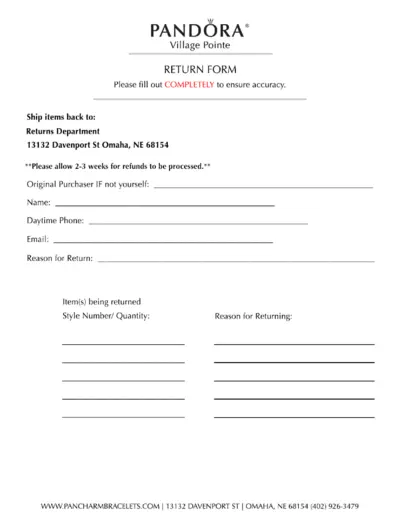
PANDORA Village Pointe Return Form Instructions
This file provides the return form for PANDORA Village Pointe. It includes sections to fill out the original purchaser information, return reason, and item details. Ensure all fields are completed accurately before sending.
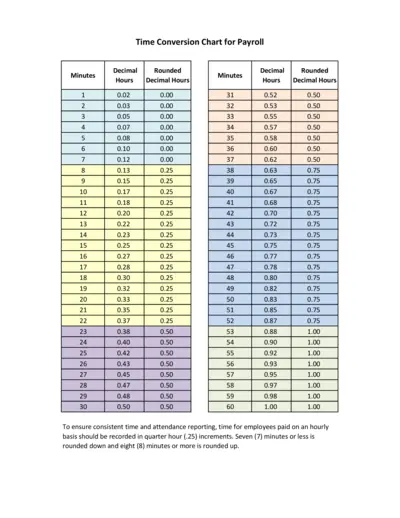
Time Conversion Chart for Payroll
This file provides a time conversion chart for payroll, converting minutes into decimal hours. It aids in accurate and consistent time reporting. Ideal for employees paid on an hourly basis.
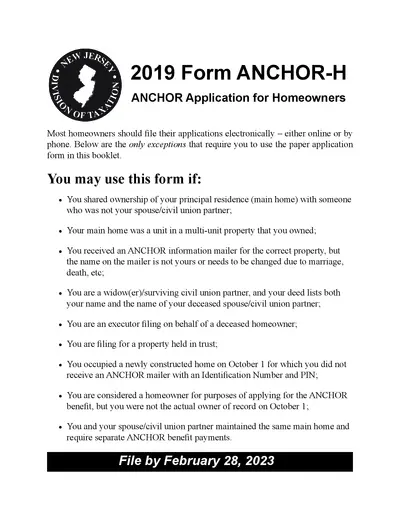
2019 ANCHOR Application for Homeowners - New Jersey
The 2019 ANCHOR Application for Homeowners provides eligibility details and instructions for applying for the New Jersey ANCHOR benefit. Learn how to file, eligibility requirements, and submission guidelines. This document ensures proper benefit distribution for eligible homeowners.
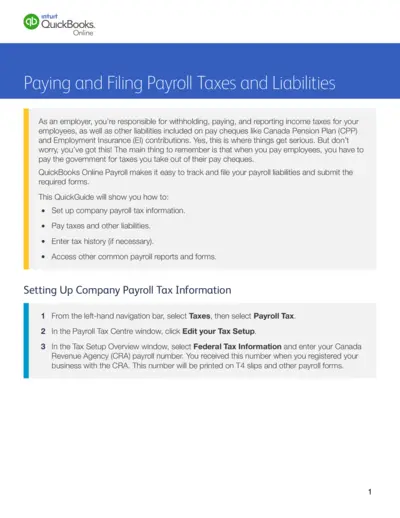
QuickBooks Online Payroll Taxes and Liabilities Guide
This file provides comprehensive instructions on how to set up, pay, and file payroll taxes and liabilities using QuickBooks Online. Employers can track and report income taxes, CPP, and EI contributions. The guide also covers entering tax history and accessing various payroll forms and reports.
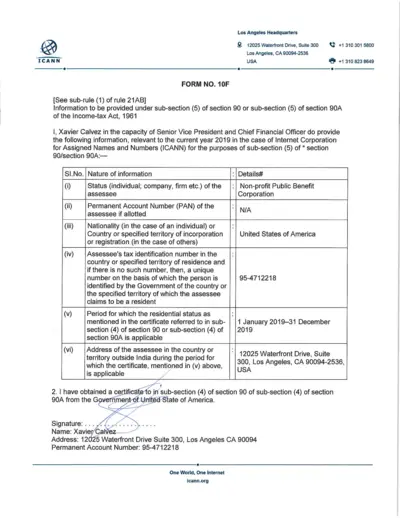
ICANN Income Tax Form 2019 for Tax Compliance
This file contains the information required under sub-section (5) of section 90 or 90A of the Income-tax Act, 1961 for ICANN. It includes details about tax identification, residential status, and a verification declaration for the year 2019. The information is provided by Xavier Calvez, the Senior Vice President and Chief Financial Officer at ICANN.
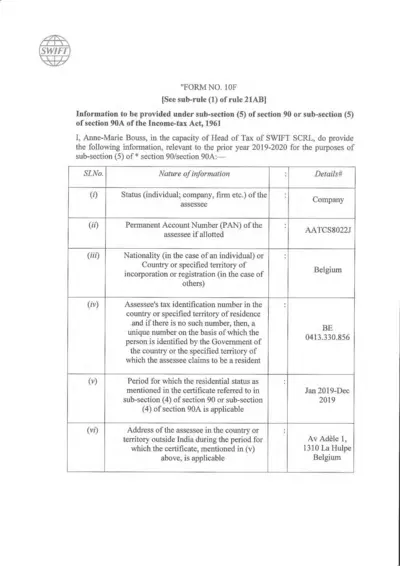
Form 10F: Information under Section 90/90A of Income-tax Act
Form 10F is used to provide information under sub-section (5) of section 90 or 90A of the Income-tax Act, 1961. It is relevant for the prior year 2019-2020 for SWIFT SCRL in Belgium. This form includes details about the assessee's status, account numbers, residency period, and address.
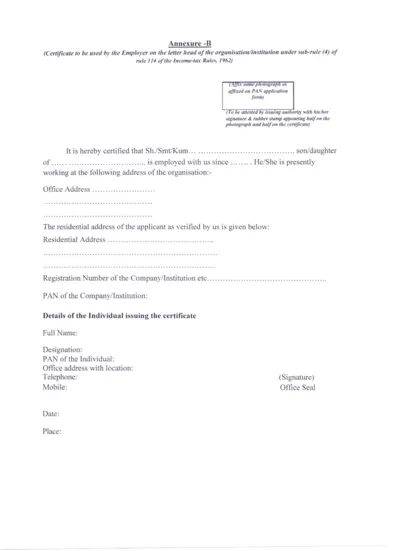
Employer Certificate for PAN Application - Income-tax Rules
This certificate is used by the employer to certify the employment status of an individual for PAN application under Income-tax Rules, 1962. It includes organization details, employee verification, and needs to be attested.
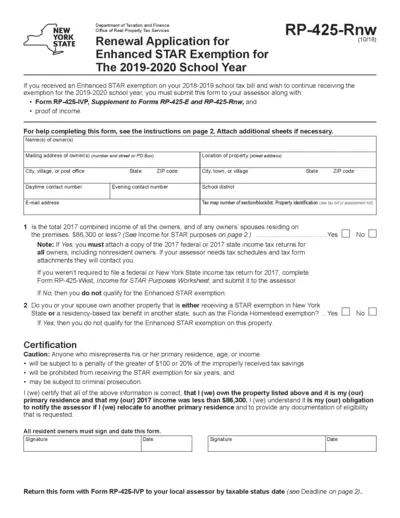
Renewal Application for Enhanced STAR Exemption 2019-2020
The form is used to reapply for the Enhanced STAR exemption on school taxes for the 2019-2020 school year. It requires income proof and the completion of Form RP-425-IVP. Submission is necessary to the local assessor by the taxable status date.
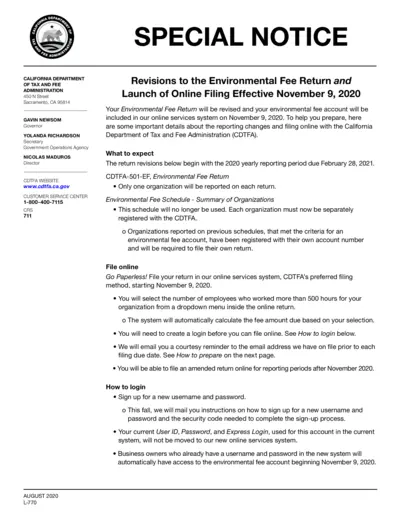
Revisions to Environmental Fee Return & Online Filing
This file details the revisions to the environmental fee return and the launch of online filing effective November 9, 2020. It includes important information on what to expect, how to login, and how to prepare for filing. The instructions provided are essential for organizations required to file the Environmental Fee Return.
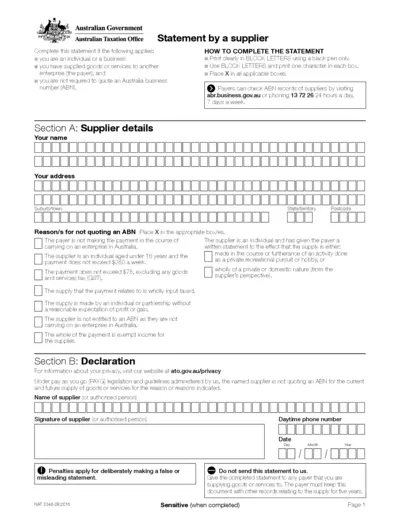
Statement by a Supplier - Australian Taxation Office Form
This form is used by individuals or businesses supplying goods or services without quoting an Australian Business Number (ABN). It helps in providing reasons for not quoting an ABN. The payer must keep this completed form for their records for five years.
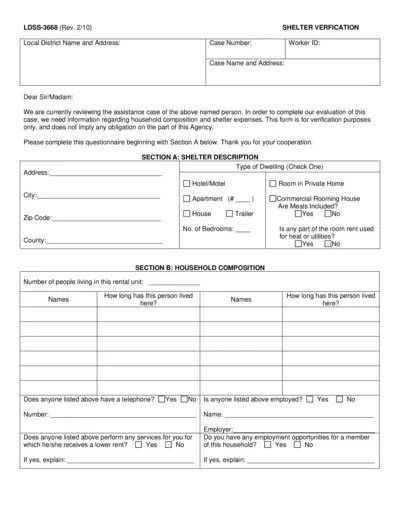
Shelter Verification Form for Assistance Evaluation
This form is used to verify household composition and shelter expenses for assistance evaluation purposes. It includes sections for shelter description, household composition, and shelter expenses. Complete the questionnaire for accurate verification.
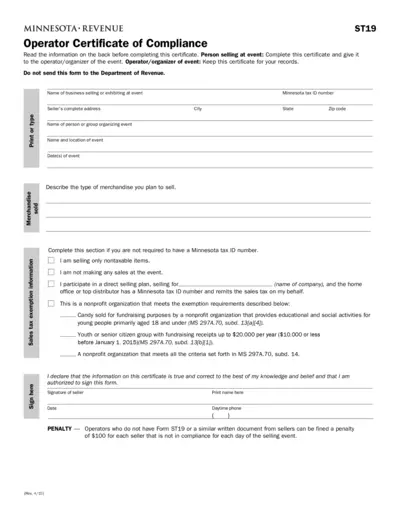
Minnesota ST19 Operator Certificate of Compliance
The Minnesota ST19 Operator Certificate of Compliance is required by law for sellers and event operators to certify compliance with sales tax regulations. The form must be completed by the seller and provided to the operator of the event. Penalties apply for non-compliance.